For openFrameworks Users
If you love oF, you'll love TrussC.
oF users will feel right at home
The fundamental rhythm of creative coding. This structure is unchanged.
ofApp
→
tcApp
We kept method names you know and love to minimize the learning curve.
ofDrawCircle(x, y, r)
→
drawCircle(x, y, r)
Choose your favorite IDE. Works with Cursor too, of course.
TrussC's answers to long-standing oF frustrations
Apple deprecated OpenGL in favor of Metal.
Future compatibility and performance optimization became uncertain.
The looming question: when will support be dropped?
Metal / DirectX 12 / Vulkan / WebGPU support.
Runs on OS-recommended native APIs for optimal speed and power efficiency.
WebAssembly + WebGPU provides excellent browser portability.
oF itself is MIT, but dependencies include GPL libraries.
Checking licenses for FFmpeg, FreeType, etc. is tedious.
Uncertainty when using for client work.
Zero GPL contamination guaranteed.
All dependencies are commercial-use friendly.
Use with confidence for client projects.
ofNode exists but parent-child relationships require manual management.
Memory management gets complex when adding/removing children.
Children can outlive their parents, causing issues.
// Automatic management with shared_ptr
auto parent = Node::create();
auto child = Node::create();
parent->addChild(child);
// When parent is destroyed, children are automatically released
// Circular references safely avoided with weak_ptr
ofThread is prone to data races.
No standard way to safely "execute after N seconds".
Time-checking in update() leads to messy code.
// Safe delayed execution on main thread
node->callAfter(3.0f, []() {
// Runs on main thread after 3 seconds
// No mutex needed, no data race worries
});
// Repeating execution is easy too
node->callEvery(1.0f, []() {
// Runs every second
});
ofSetLineWidth() isn't guaranteed above 1px due to OpenGL limitations.
On macOS / Metal, it's completely ignored. Drawing thick lines meant generating meshes manually.
Just use beginStroke() / endStroke().
Automatic line caps and joins, any thickness you want.
// Beautiful thick lines with beginStroke/endStroke
setStrokeWeight(5.0f); // 5px thick line
beginStroke();
vertex(0, 0);
vertex(100, 50);
vertex(200, 0);
endStroke(); // Automatic caps and joins
oF users will feel right at home
TrussC's directory structure is very similar to oF.
You'll find familiar folders like examples, addons, and more.
of_v0.12.0/ ├── addons/ ├── apps/ │ └── myApps/ │ └── myProject/ ├── examples/ ├── libs/ ├── projectGenerator/ └── scripts/
TrussC/ ├── addons/ ├── apps/ │ └── myApps/ │ └── myProject/ ├── examples/ ├── trussc/ ├── projectGenerator/ └── scripts/
Just like oF, you create projects with projectGenerator.
It looks like classic oF, but the features are fully modern.
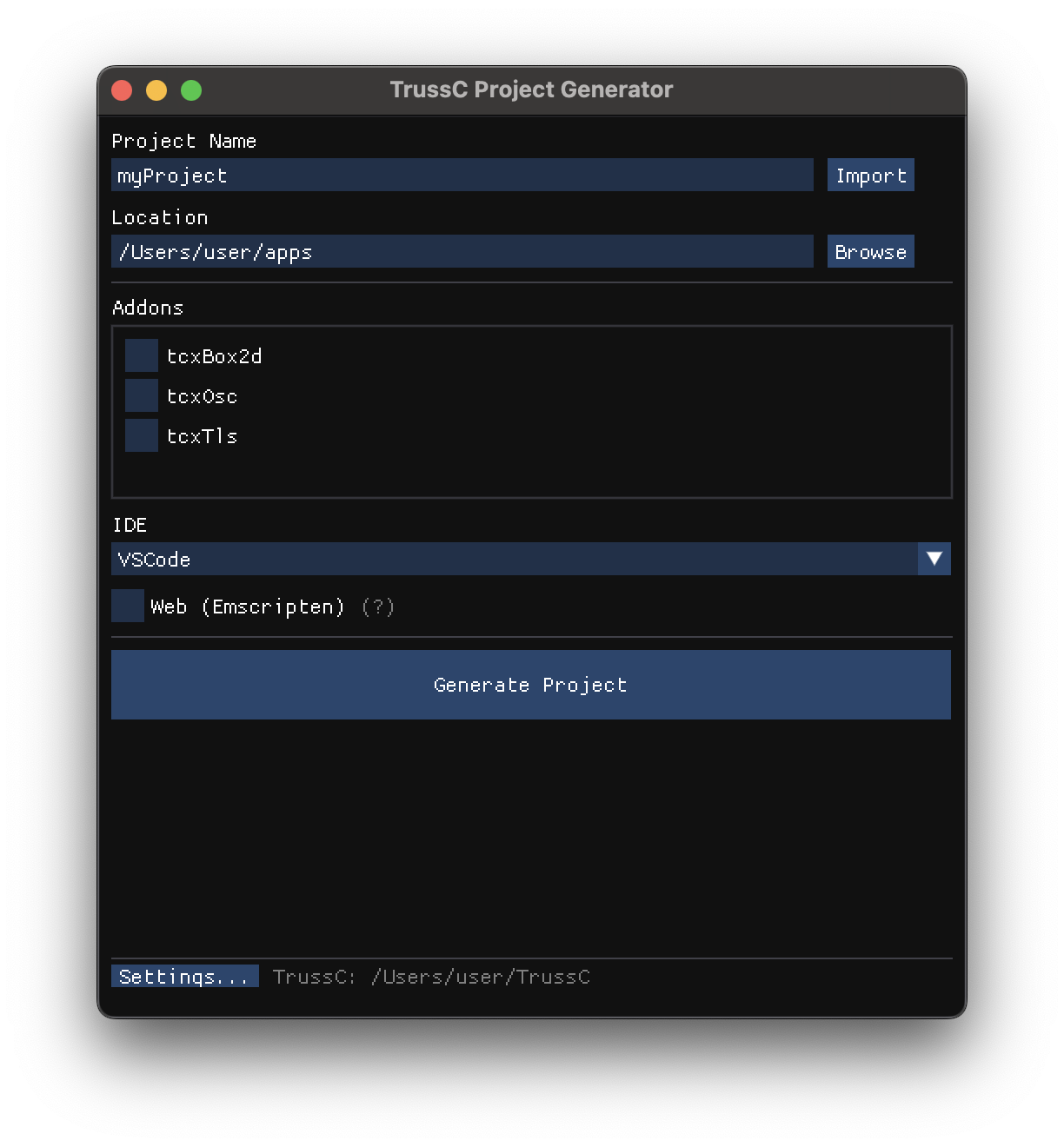
Once your project is created, just write setup / update / draw as usual.
ofApp becomes tcApp, ofDrawCircle becomes drawCircle—
the coding experience is almost identical.
void tcApp::setup() {
// setup as usual
}
void tcApp::update() {
// update as usual
}
void tcApp::draw() {
clear(0.1, 0.1, 0.1);
setColor(1, 0.5, 0);
drawCircle(getWindowWidth()/2, getWindowHeight()/2, 100);
}
Pretty similar, right?
Your oF experience transfers directly to TrussC.
oF functions → TrussC equivalents
Loading API reference...
Your oF experience translates directly.